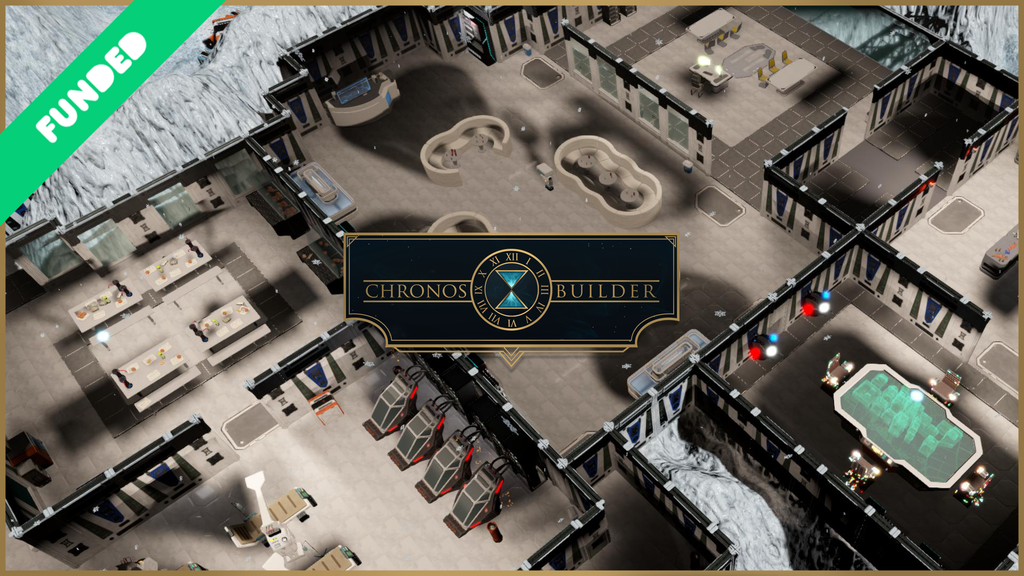
Outstanding 3D map creator tool for Sci-Fi, Cyberpunk, 19th Century, Medieval and Fantasy for TTRPG environments
Latest Updates from Our Project:
ANOTHER SG UNLOCKED - GOOD NEWS FOR YOU!
over 3 years ago
– Thu, Apr 20, 2023 at 02:13:55 AM
Hello, fellow time travelers!
You did it again!! Second Stretch Goal crushed in just a week after the last! The Pirate Setting will come to Chronos Builder : Wishing Well alongside all of its goodies!
THANK YOU ALL SO MUCH!
We are drinking rum and singing sea shanties all thought the day!! Care to join aboard??
However, you also unlocked new features for the base Chronos Builder too!!
Namely, you have Biome combinations and Deep Waters!
Biome combinations will let you create your own custom biome and combine whichever 4 ground textures you want to use to paint your map! We also added 2 new terrain biomes with their own unique textures each so that you have even more combination options!!
With the new Deep Waters feature you’ll be able to modify the depth of water areas. No more shallow ponds! Perfect to go with the pirate assets!
Thank you so much, as always.
Let's continue our path... side by side. Cheers!
FIRST WISHING WELL STRETCH GOAL REACHED!!
over 3 years ago
– Wed, Apr 12, 2023 at 07:52:07 AM
Hello time travellers!
By this time you probably already know about our ongoing Kickstarter campaign for the Wishing Well expansion. We wanted to take a moment to share our excitement as we just reached the first stretch goal!
We thought that a photo of part of our team (because the rest is on vacation) would be nice to set the "zombie" atmosphere.
This new setting will comes with a new "Collapsed Urban" biome for all of you (even if you don't have Wishing Well) and 50+ new assets and is exclusive to Wishing Well owners!
Check the Wishing Well campaign if you havent already and hop on the train now that there's still time 😉.
Our artists are hard at work on the Moon Base asset pack which should launch by the end of the month!
We have envisioned a set of modules that will allow you to place train rails and different train parts in any way you want!
As you can see, we carefully design the concept art for new assets from the start.
High-poly model of the train modules. This one is a big asset!
Are you happy? We expect so, because we are happy as hell! Let's go!!
Cheers!
New Alien assets and more, Version 1.3.1 is here!!
over 3 years ago
– Tue, Apr 04, 2023 at 08:40:58 AM
Greetings Time Travellers!
The Chronos Builder train doesn't stop and, as you have probably heard, this one is a big week for us!
We're preparing to launch a Kickstarter campaign tomorrow for our first ever expansion pack, Chronos Builder: Wishing Well!
On top of it, as if that wasn't enough, we decided to go ahead and launch another software update today in celebration of the coming event! Version 1.3.1 comes packed with the all new Alien environment assets alongside some export updates and a ton of quality of life additions!
This is our last chance to bring it up before the campaign goes live.
Don't forget to sign up so that you are notified once it starts! You don't want to miss out on those juicy early bird pledge levels 🤩.
Once again, we'd like to remind you that we will continue to support the current version of Chronos Builder and update it with all system updates unlocked via the Wishing Well expansion! The only exclusive content will be asset packs.
We can't wait to share with you all of the cool things we have planned for Wishing Well. See you on the other side!!
2. - New Alien Assets and Eastern Nature Props
The new Alien environment is here!
This too was one of the promised stretch goals from the original campaign...crazy how far we've come🥳. We put some extra love in the design of this asset pack and decided to change the way the floor tiles work: They are arranged in groups of 4 and have an emissive effect that animates across the entire plane. Perfect for video exports!!
New Eastern Nature Props
Something we planned to include in the latest patch but didn't have enough time to squeeze in. Thankfully, It's only been a couple of weeks since then, so the wait wasn't as long.
You can access them through the Nature Paint mode inside the Terrain Tool!
3. - Export update: Print mode
The export systems also received some love in this update (this is becoming a trend now haha).
- New Print Mode: Added Print mode to the export menu. Export your maps so they fit in standardized pages according to your preferred tile size. The system will calculate the optimal page orientation according to the size of your map.
- Rotation and Zoom configuration: Simple as that! You can now use the sliders to modify the zoom and rotation of your capture.
4. - Quality of life changes
- Water under assets: Added a new system that prevents some assets from modifying the terrain. This will make it so that you can create liquid or modify the terrain beneath them. Assets affected include: Bridges, Ceiling Lamps, Plants, Rocks, Wood Logs, Sci-Fi Spaceships, Sci-Fi Evelated Pathways, Victorian Boats. We intend to expand this system in the future so you can manually configure which assets affect the terrain via the tweaks menu.
- Clickthrough System: This solves a common issue of multiple assets being stacked on top of each other, with one preventing the selection of the other. You can now continue clicking to select the item behind or on top of the current selection.
Note that this doesn't solve the known issue of regular assets preventing the selection of floor planes, something we intend to solve in the next patch.
- New Structure Replace System: The structure replace system has been updated. While previously it'd only replace an asset if it was highlighted with the cursor, now it'll check if it's either highlighted or close enough to the current asset being spawned. Additionally, You can also replace floor planes and columns now. Plus, you'll now see a tooltip indicating whenever a replacement action is possible.
- New Background Plane: We decided to add a new background plane of a darker tone to help highlight your creations! You might have seen a preview of it already if you checked a recent mail we sent to all backers. Looks beautiful, don't you think? You can always disable it via the Terrain Tool menu.
5.- What's next? Chronos Builder's roadmap
Once again, we are starting our campaign for the new Expansion pack tomorrow, but that doesn't affect our current roadmap! Here are our plans:
-Regarding the laststretch goals: We are currently hard at work on the Sci-Fi Moon Base assets, which should be out in the next big content update we release around May. After that, there are only 2 Cyberpunk environment packs left which we intend to release through the summer.
Concept art for the upcoming Moon Base Environment!
Again, now that we are so close to completing all of the stretch goals set during the original campaign, we'd like to reiterate how thankful we are that you stuck with us through this journey!
Oh and if you are sad that we won't release any new assets after that, then worry not! The Wishing Well expansion pack is filled with lots of new cool Settings that we hope you'll help us fund!
- Regarding the Autobuilder: As we mentioned last time, we're planning a big autobuilder update which should release around the end of this month! We are focusing on creating an algorythm that will spawn more meaningful room compositions by focusing on the key central elements (such as a Bar counter in a restaurant) and spawning the complementary assets starting from that origin point.
- Regarding Bugfixing and Quality of life updates: There are still lots of changes we intend to bring that'll make map making even easier. There are some specific areas that need some extra work such as multi-selection movement and general system performance when loading the entire library. Our plan regarding this hasn't changed. We intend to continue to release regular updates every month or so!
- Regarding Linux: We have found several issues with the Linux version of Chronos Builder. We are working very hard on them, but right now, we cannot guaranteed its release before May. We apologise for the inconvenience, and we ask you to be patience in this regard. Thank you very much.
6.- Patch Notes
Ver 1.3.1
Additions:
Added new Alien environment Assets.
Added new Eastern Nature Props.
Added Print mode to the export menu. Export your maps so they fit in standardized pages according to your preferred tile size.
Added Zoom and rotation options to Image and Video export menus.
Added additional feedback to the export process.
Added a new system that prevents some assets from modifying the terrain. This will make it so that you can create liquid or modify the terrain beneath them. Assets affected include: Bridges, Ceiling Lamps, Plants, Rocks, Wood Logs, Sci-Fi Spaceships, Sci-Fi Evelated Pathways, Victorian Boats.
Added new Click-Through system: You can now select assets that are stacked on top of each other by clicking multiple times on them.
Added new background plane. You can enable or disable it from the terrain tool.
Fixes:
Fixed Export menu not showcasing which mode is currently selected.
Fixed Community menu not showcasing which submenu is currently open.
Fixed Tools buttons getting disorganized in expanded mode.
Fixed non video export options not showing feedback after a successful export.
Fixed “Restaurant Floor” and “Restaurant Floor (Square)” duplicating themselves when loading a map.
Fixed “Restaurant Floor (Square)” preview icon.
Fixed “Shelving” asset vertical position.
Fixed multi file export on perspective mode so it generates all files with the same perspective.
Fixed double walls and windows not having the same horizontal offset.
Fixed Asset info not loading if you hold left mouse click over an asset slot.
Fixed eastern garden walls and fences not being aligned at the edge of tiles.
Fixed an issue that’d select multiple grids if an item movement action is cancelled with the Esc key.
Fixed multi struct spawn rotation for initial and current assets.
Fixed an error that would constantly re-open the quick palette menu whenever the a new tool menu is selected.
Fixed rotation and scale commands not always working correctly on Undo and Redo actions.
Structure spawn replace system fixes:
- Replace detection now checks if the target structure is highlighted by the cursor or close enough to the current spawn asset.
- Fixed floors not replacing each other.
- Fixed Columns not replacing each other.
- Added Tooltip feedback on replace actions.
- Fixed an issue that prevented 2x1 walls from being correctly replaced by 1x1 walls on certain rotations.
- Original desired rotation is restored after the replace after exiting the replace state.
Warning:
Due to double walls horizontal offset fix, previous maps may have those assets moved from their intended position. Sorry for the inconvenience.
Enjoy the all new Item Editing and Terraforming systems in Version 1.3.0!!
over 3 years ago
– Mon, Mar 20, 2023 at 07:20:53 AM
Great day for another game changing Chronos Builder Update.
Don't you think, dear Time Travellers? 😉
This time, we're introducing Version 1.3.0, which will feature major updates to most system features as well as some new mechanics that our programmers managed to squeeze-in last minute that I'm sure will catch you all by surprise!
So don't sleep on your laurels as this one is worth reading, even if you were here for the last Kickstarter update where we teased some of these changes!
Once again, we are claiming once more this one will be our biggest update to date!
Crazy, right? Well, not so much once you take a look everything that we've included in this one. Lets get to the new...
Ok hold on, there's a secret new project we need to talk about right before we head on to version 1.3.0!
0. - Surprise Intermission: The future of Chronos Builder
Introducing the first Chronos Builder expansion: Wishing Well.
This is a project that we've had in the works for a long time and we're really excited to finally unveil it!!
Wishing Well will bring new settings and environments alongside an overhaul to the legacy systems that will help you reach new heights with your map making (in more ways than one😉).
Make sure to click follow on the Kickstarter page so you'll be notified once it finally goes live!
On that note, lets get back to the regularly scheduled programming... lets see what version 1.3.0 brings!!
1. - New Eastern Setting assets in version 1.3.0!
The new Eastern setting assets have arrived!
This one was the last stretch goal unlocked but we decided to give it a bump in priority and finish it ahead of the rest, because we were super excited to see how the Community would mix and match it with other settings!
2. - Item editing 2.0 is here!
The new item editing system lets you Rotate, Scale and Move items all in one click without the need to switch between modes. It feels far more intuitive and responsive to use.
Getting ready to launch during a sandstorm...Dont try this at home!
To rotate an asset, simply click and drag the rotation gizmo. The asset will rotate proportionally to the movement of your mouse around the selection in set radial increments . It will replicate both the direction and the angles moved by your mouse.
The scaling action is also easy to get around. You'll see new bounding gizmos now show up around your selected assets. Hold and drag them outwards to increase in scale or inwards to reduce it.
As always, you can hold down the Shift key to freely rotate orscale without constraints.
The movement itself hasn't changed much, you may click and drag an asset to place it wherever you wish. However there are some added quality of life changes related to movement, such as restoring the original position if you cancel the movement action by pressing the Esc key or by dragging it outside the grid bounds.
Here at the studio we've been tooling with the new Item Editing tools for some time now and its a night and day comparison when put next to the old system! Im sure you'll agree 😀.
The second big update to editing is: Multi-Item Tweaks configuration!
This one has also been a long time coming and will be a life saver for all those of you who love to add multiple levels to your maps. Not much to explain, just select multiple assets and adjust their configuration on the Tweaks Panel on the left side of the screen!
This is gonna save so much time to those of you who love multi-level maps!!
OH! And there's also one final thing:
While spawning structural assets, you may now draw a selection of grids and you'll spawn said asset across all of them! This feature is similar to the Advanced Autobuilder feature that lets you spawn only floors, walls, etc. More convenient within the Structural Tool, don't you think? Currently only enabled for 1x1walls, windows, doors and floor tiles.
This feature was requested a lot on Discord. Hope you enjoy it!
3. - Water? Inside my grid?? New Terraforming features
You read that right!
I bet this one is a bit of a surprise as we didn't talk about it in the latest update!! Those who have been more tuned to our socials got to see a preview a few days ago and probably saw it coming 😉.
As you can see, the water mask will adapt to grids that are occupied by assets!
This feature is coming hot right off the oven as its not something we originally planned for this patch... Well nevermind that! The stars have aligned in such way that we managed to get it to a stable-enough state for release.
Chances or some weird bug breaking the terrain system: critically low (and yet, you always manage to amaze us with your game breaking skills so we'll see 🤣).
Either way, the leap in map making is so big with this feature that we didnt want to have you wait another extra month to get it. You can see for yourself:
The old "Quiet Town" map is not so quiet anymore! Seems like it got some new neighbours.
You can also raise the terrain within the grid. Here we decided to create a small elevation between each of the market stalls.
Happy Terraforming!
But that's not all, we've got many more things regarding the Terrain Tool:
- New Liquid Options: You can now choose to have either Acid or Magma in your map! Perfect for those planning a dangerous encounter for their players 😈.
- Sliders on brush configurations: The artists at our studio kept begging for these and they were right! Sliders feel far more intuitive that using "+/-" buttons to change the scale of your brush.
- Paint Bucket feature: You may also use this new button to paint your entire terrain in a single texture at once!
4. - Community update! Edit options and more!!
The online features are receiving a lot of quality of life changes in this new patch too alongside other features that have been asked by a lot of people!
We'll start with the big one:
- Editable/Non editable options: As a map creator in our community, you may now choose if you want others to be able to edit your map! Alternatively, you can just upload it as non-editable content in you want to show off and still give people the option to export your map for a roleplaying session. Reminder that either way, people who download your map won't be able to upload it again to the community.
- Sorting options: We couldn't decide on the right way to organise maps on the community menu so we'll instead let you choose! You can now sort by Trending, Recent, Most Subscriptions and Best Valued maps!
- New Qualityoflife features: Among other things, you can now drop your map from the Steam workshop directly without the need to open it first. Additionally, you'll see new icons on your map library to let you know whether they've been downloaded or uploaded to the workshop by yourself.
5. - Autobuilder update! New Layout and configurations!
The Autobuilder menu has been expanded to allow for a more structured props and Advanced Options menu (new juicy options we'll get to in a bit).
The "Build" button will now show up only when it needs to, on top of the selected grids too!
- New Advanced options: We are giving you more control over the algorithm. You can now control the ratio of doors and windows spawned per grid. Additionally, you can choose if you want a more structured or random prop placement. With the Structured option making it so that items are more coherent between each other, for example by spawning only a type of chair or table.
- New Qualityoflife features (because everything is getting these now haha): A new warning animation will let you know if you haven't configured your Autobuilder options before spawning a new room. Additionally, you may now click outside the grid bounds or select the "Esc" key to clear your grid selection.
6. - Export update
Last but not least important!
- Foundry mp4 export: You can now choose if you want to export to Foundry using mp4 or webm video formats.
- Menus will collapse whenever you open te export menu: Both the library and tweaks menu will close down so that you get a better view of what you are about to export, They'll resume their previous state once you close the menu.
Ok maybe this one gif wasnt really needed...but I just wanted another excuse to brag about my cool map!
- Better quality on webm export: You were loud and clear about this on the last patch and we've listened!
7. - Community Spotlight!
- Community Spotlight
Just like last time, we'd like to take a moment to feature some of the great new maps that have been uploaded by the Chronos Builder community!!
"UFO Entry Lift" by Chris - DarkEra RPG
"Container Apartment" by OsmoVandek
"Garage" by Gormarius
"Informant - Chop Shop" by Dherian
8.- We have a new website!!
Some of you found out about it a while back but it wasn't ready for the public yet... Well that has changed and you can finally feast your eyes on it! Our plan is to update it regularly with blogposts and tutorials on some specific features of our tool alongside regular CB updates. Make sure to check it out!!
9. - What's next?
Currently, Wishing Well is the biggest project we have in mind in regards to Chronos Builder. We envision an expansion that will bring new content to everyone, even those who choose to remain within the legacy version of Chronos Builder.
Once again, we'd love for you to sign up to the Kickstarter site!
In the meantime, what's our more direct roadmap?
We acknowledge there's still work to do if we truly want to make Chronos Builder the best map making tool but you can't say we arent putting in the work towards changing that. 😉
- Full-on Autobuilder Rework: As Chronos Builder has grown, we've realized that our algorithm for procedural building wasn't good enough and the time investment in training it grew exponentially the more assets we introduced to the point were we decided to pursue other solutions. For some time now we've been planning a rework for the system. We have a dedicated programmer working full time on updating it an we hope to have ressults by the next time there's an update!
- Multi item editing fixes: There's one final thing we need to take care of before we are done with the item editing tool! Currently, the multi-selection doesnt always work as intended and will sometimes missalign assets to their grids, even if the user isnt using the gridless mode. This is something we hope we can change in the next patch!
- Alien Environment: This one is a big fan favourite and we're putting some extra love in it with very creative assets that out art team has been making! Here's a sneak peak 👀:
- Camera Tool: The camera system is the last item in the toolbar that needs to be implemented. We plan to have a menu that will allow you to store camera positions and toggle between them at any moment. Coupled with a more free-form first person mode, it'll be perfect for VTT players!
10.- Patch Notes
Ver 1.3.0
Additions:
Added new “Eastern” Setting Assets and folder!
Item Editing Additions:
- Added New Item Editing gizmos. Rotate, Scale and Move items all in one click without the need to switch between modes.
- Original Item position is now reset if a given item is dragged and dropped outside the grid bounds.
- Original Item position is now reset if a given item is dragged and dropped outside the grid bounds.
- You can now drag structural assets during spawn actions to create multiple of them. Currently only enabled for 1x1 walls, windows, doors and floor tiles.
Tweaks Editor Additions:
- Multiple items can now be modified at the same time. Position, rotation and scale changes affects the entire selection of items instead of only the first one picked.
- Rotation buttons have been enabled for all three axis, and should work without much problem.
Terraforming Additions:
- Added Magma and Acid liquid options and liquid selection menu.
- New Terraforming mask feature:
- You can now change the terrain elevation and paint liquid within grids as long as they aren’t occupied by assets!
- Version 1.2.0 maps and earlier will be adapted to the new system whenever the map is loaded.
- Added UI sliders to brush configuration menu.
- Added UI button that lets the user paint the entire terrain in a single texture.
Autobuilder Additions:
- Percentage of doors and windows can now be set in the Advanced Autobuilder options, and the default percentage was modified for better generation.
- Added a command to clear current grid selection in the Autobuilder tool whenever the user clicks outside of the grid bounds or by pressing the “Esc” key.
- Updated Autobuilder UI.
- New warning animation whenever the user doesn’t have any selected Autobuilder configuration.
- Additional randomness introduced. Items should now spawn throughout the entire room instead of focusing around one corner.
TaskbarAdditions:
- Added "Select all light sources” command.
- Added “Reset terrain” command.
Community Additions:
- Restricted uploads of unnamed maps, maps with very few assets and maps with short names.
- Added options for private and non editable maps.
- Added sorting options to the community library: Trending, Recent, Most Subscriptions and Best Valued.
- Added icons to Load Map Menu for uploaded and downloaded maps from the Workshop.
- Added an option to drop maps directly from the Community Menu.
Updated sliders in sound configuration menu.
Added Foundry video export with mp4.
Fixes:
Fixed the desktop application logo.
Improved overall performance.
Improved Terrain tool performance.
Updated UI graphics for multiple menus.
Fixed an error that would freeze the program if an item was selected upon switching to the Autobuilder tool.
Fixed an error that would cause the Tweaks menu to work in unexpected ways if an item is edited right after being placed.
Fixed an error that would cause the Tweaks menu to edit multiple items at once even if they were not selected.
Fixed multi selection not working if the selected grids included unwanted assets.
Fixed text on some Autobuilder menus that read “Null” instead of “None”.
Fixed text size of map tags within the global configuration menu.
Added tooltips to map tags within the global configuration menu.
Fixed the color of multiple UI elements to resemble that of the Chronos Builder logo.
Fixed an error that prevented q/e commands from rotating placed assets while using the movement action.
Fixed an error that allowed the user to select map items while the map was loading.
Fixed an error that would prevent grid size text from resetting after it had been changed in the Global Options menu.
Added a button that lets you load maps direction from their thumbnail in the Load menu.
Fixed an error that prevented grouped and custom assets from being copy-pasted.
Added tooltips to explain Steam’s Rating system.
Community search bar is now reset after opening and closing the menu.
Fixed an error that prevented light toggle option from working correctly when multiple assets where selected at once.
Fixed an error that prevented Rain and Dust Storm weather effects from being visible in tabletop camera modes.
Fixed Chronos Builder logo displayed in the credits.
Changed webm export codec to VP9 for better video quality.
Fixed VTT screenshot algorithm so it does not rely on resolution changes.
Fixed new maps generating a local file before saving them for the first time.
Fixed multi selection not selecting all assets form the selected tiles.
Fixed asset library returning to Props after closing any menu.
Fixed Load Map menu slot not loading the correct preview image from downloaded maps.
Fixed maps names allowing illegal characters.
Fixed preview images not getting deleted alongside their map files.
Fixed library menu not collapsing when the export menu is opened.
Fixed some dropdown menus not updating after changing the game language.
Fixed Delete File Window texts not fitting inside the menu.
Fixed Autobuilder deleting walls and floors at moments it wasn’t supposed to.
Fixed an error that prevented tweaks position input from correctly updating its Y axis.
Fixed an error that caused tweaks input actions to interact with Quick Palette commands.
Fixed an error that prevented the user from dragging assets from the library into the map if there was a multi selection active at the moment.
Fixed an error that prevented the Item Editing mode from triggering after spawning an item from the Quick Palette by using its assigned number.
Fixed a bug that prevented click drag actions from working with structural assets in the Quick Palette.
The system will remember the last folder selected and restore it whenever the library is opened.
Added commands to open the Chronos Builder Tool and the Effects Tool.
Multiple other minor bugfixes.
Developer update - March
over 3 years ago
– Fri, Mar 03, 2023 at 04:02:01 AM
Hello there, Time Travellers!
It is once again time for our bi-weekly Developer Update.
Today's Kickstarter update is a short one. We'll go over what we've been working towards and the changes you can expect in the next software update: Version 1.3.0!
Lets get to it!
1. - Item editing 2.0
Item editing is one of the most basic actions the player can do in our tool which. After some introspection, we determined itwas lacking some severe polish. We suspect it's also one of the root causes of frustration for newcomers and represents an unnecessarily steep learning curve. It's about time we fix that, don't you think?!
Updated Item Editing gizmos and Tweaks Menu will be one of the key features in this coming patch!
We won't give many details for now as that'd leave the next Kickstarter update redundant (and frankly, it's much cooler to play it mysteriously for now huehuehue...).
That said, here's a sneak preview for those curious!
2. - New Community Features!
This will be the second wave of updates for the Community systems. While last we focused on the UI, this time we are doing a lot of quality of life changes such as:
- You can now choose if you want others to be able to edit your maps or not. Alongside with a visibility option.
- An icon in the load menu that let's you know if your map has been uploaded already.
- New filters for the search functionality in the Community menu.
- The option to remove your map from the Community without having to open it first.
- A new preview window that will let you know how the map will look inside the Community menu before uploading it.
3.- Autobuilder Updates
As always we bring some changes to the Autobuilder tool!
Most notably, the menu has been expanded to allow for a more structured props and Advanced Options menu. You'll notice that the "Build" button is now gone too, that's because from now on it'll only show up when it needs to. And right next to the selected grids too, for convenience! No more taking up space!!
Coupled with this UI update, we'll bring some improvements to the algorithm and more!
4.- But that's not all...
If you think that's enough, then wait til you see the new liquid options, cool terraform functionalities and assets that we have prepared. On that note... Can you guess which environment we will be releasingnext???!
Oh and lets not forget bugfixing! There's loads of that too ;).
5.- When?!
We are trying to stick to our plan of releasing an update patch once every month so that puts the release date for Version 1.3 at around March 17th!
Will we hit the date?? Our team sure thinks so!!
One thing is for certain though, you cant deny that we've been making a LOT of cool updates since release that have elevated the product in very notable ways!!
(So please...cut us some slack if we miss the date by like...a couple of days - The CB Team )
We use essential cookies and our own first-party analytics to run BackerKit. With your consent, we also use cookies to measure our marketing and share data with advertising partners to show you relevant ads. Accept to allow all cookies, or reject to turn off the optional ones.
Read our cookie policy.